How it works
How ProofScene works
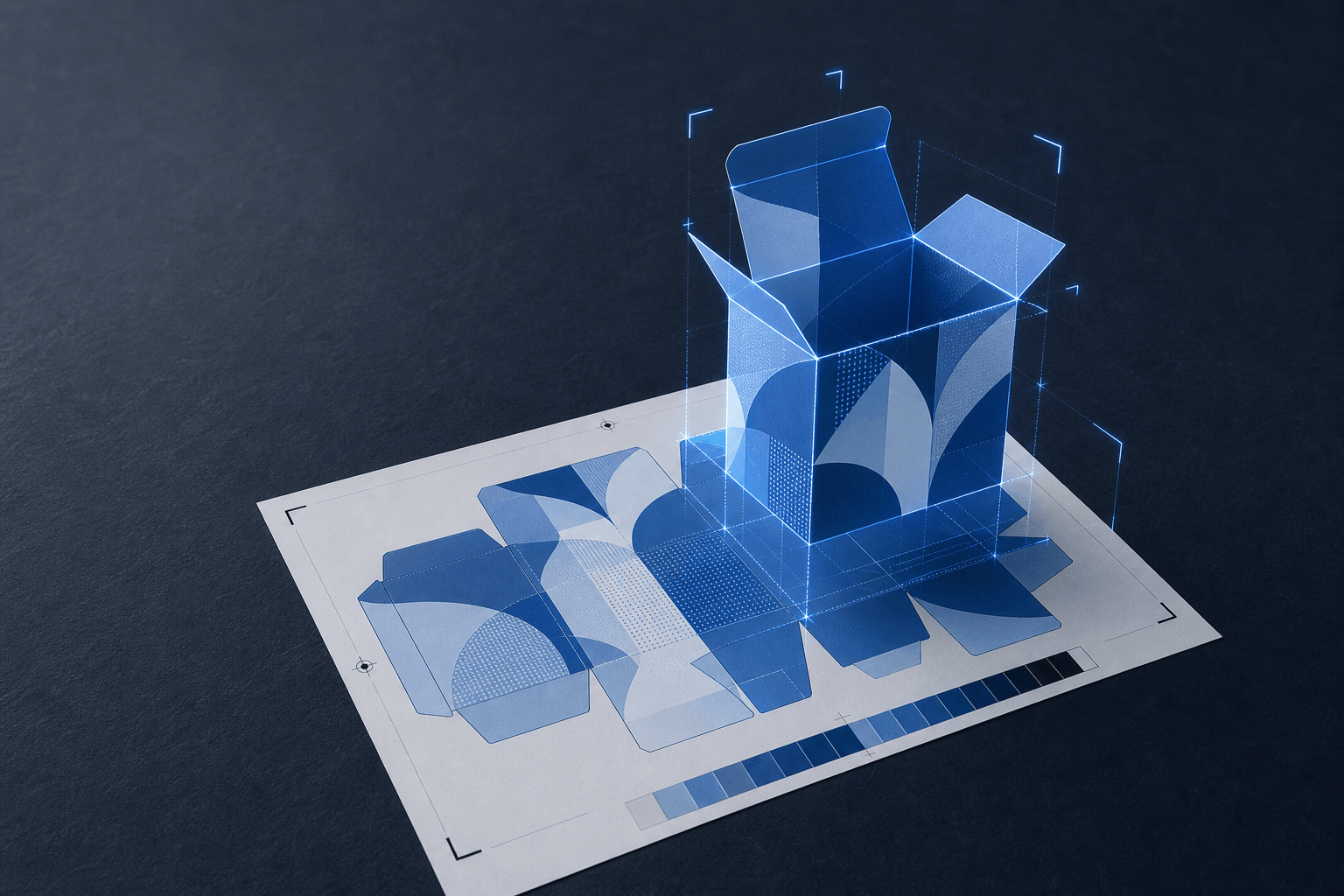
Upload the proof you already produce, generate a 3D model of the finished product, send it as a branded link, and get an approval tied to the exact version your customer reviewed.
Four steps, inside the process you already run
Nothing here asks prepress to become a 3D department or asks your customer to learn a new tool. That is the constraint the whole product is built around.
- 01
Upload the proof
Start from the flat proof you already produce. Nothing new to author.
Drag in the artwork or the PDF proof sheet your prepress team has already built, and add the job specification you would normally print on the sheet: finished size, substrate and weight, construction or dieline, quantity, and the finishing called for. That specification is what makes the result a proof rather than a picture; it is the difference between the customer seeing a box and the customer seeing their box.
- Artwork or existing PDF proof as the input
- Your own job number becomes the reference
- Specs entered once and carried through every round
- 02
Generate the 3D proof
ProofScene builds a spec-accurate model with your artwork applied.
The product is constructed to the dimensions and thickness you supplied, the artwork is mapped onto it at source resolution, and the finishing is applied as real surface behavior: foil as a directional metallic, spot UV as a raised gloss over matte laminate, emboss with actual relief. The model sits in a fixed, realistic lighting environment so that two people opening the same link see the same product.
- True geometry: folds, thickness, curvature and wrap
- Materials from your stock choice, not a generic default
- Spot UV, foil, emboss, deboss, varnish and lamination rendered as surfaces
- 03
Share a branded link
Drag a proof in and get a URL on your subdomain, under your job number.
The proof goes out as a link on yourcompany.proofscene.com, ending in your own reference. Add a password if the artwork is confidential. Then paste it into the email you were already writing, next to the PDF you were already sending. Your customer clicks once and the product opens in their browser: no plugin, no download, no account, no app.
- Your branding and your subdomain on the page
- Optional password per link for confidential work
- A new revision replaces the last at the same URL
- 04
Customer reviews and approves
They turn it over, check the back, and give you an explicit decision.
The reviewer rotates the product, zooms into the legal panel, watches the foil catch the light and looks at the panel you were hoping nobody would check. Then they either approve it or tell you specifically what is wrong. The approval is recorded against the version that was on screen (who, when, and which round), so production runs against something both sides can point at.
- Works on desktop, tablet and phone
- Approve, approve with changes, or request a revision
- The decision is tied to the exact version reviewed
Six things a customer cannot judge from a flat page
These are the details that cause reprints when they are only imagined, and build trust when they are actually seen.
Real scale
How big the logo actually is on the finished item, next to a trim edge, a fold or a seam.
Construction
How panels relate once folded, where a glue flap swallows artwork, how a label wraps a container.
Embellishment
Spot UV, foil, emboss and deboss as behavior under moving light rather than a hatched box on a plan.
Substrate
Uncoated against gloss laminate against a textured board, including the edge thickness of the stock.
Every side
Back panels, bases, spines and insides. The angles a flat proof quietly leaves out.
The small print
Barcodes, ingredient panels and legal copy at source resolution, legible when zoomed.
Four inputs, all of which you already have
- Press-ready artwork
- The same file you would send to plate. No separate 3D asset, no re-authoring, no new format to learn.
- The job specification
- Size, stock, thickness, quantity and finishing: the fields already on your proof sheet.
- A dieline where one exists
- For packaging and cut shapes, the dieline drives the construction. Standard formats are handled directly.
- Your job number
- Your reference, not ours. It becomes the URL, the filing key and the thing everyone searches for later.
A 3D proof represents appearance, placement, materials and finishing. It is not a calibrated contract-color proof unless your workflow includes formal color management.
Go deeper
Each step of the workflow in detail.
Being straight about what exists today
ProofScene is pre-launch and opening early access, so it is worth being clear about the shape of things. The core is the proof itself: the model, the viewer, the branded link and the approval. That is what early-access shops will be using on real jobs.
Around it, we are building the place your proofs and client links live together, so a job can be found by its number, a client's history is in one view, and a revision does not depend on somebody remembering which link they sent. Accounts are part of the early-access build rather than a finished feature we are describing as done, and how they work will be shaped by the shops in that first group.
If your shop has a particular way of filing jobs, referencing revisions or handing work between an account manager and prepress, that is exactly the input worth giving us now, while it can still change the design.
How it works, answered
Short, straight answers to the questions we are asked most. If yours is not here, ask.
Ask us anythingHow does ProofScene work?
Four steps: upload the flat proof and its specification, ProofScene generates a spec-accurate 3D model with your artwork and finishing applied, you share it as a branded link, and your customer rotates, inspects and approves it in their browser. The approval is recorded against the version they saw.
How long does it take to produce a 3D proof?
The intent is that it fits inside the time you already spend preparing a proof, not on top of it. You are supplying artwork and specifications you have already assembled: the generation is the part that happens for you.
Do I have to change my existing proofing process?
No. Keep producing your PDF proof sheet and keep sending it. ProofScene adds an interactive 3D version alongside it. The prepress record stays where it is; what changes is how much the customer understands before they answer.
Does my customer need an account or software?
No. They open a link in a browser on whatever device they have. Every login you put in front of a print buyer is a reason for the approval to stall another day.
Where do my proofs and links live?
Each proof sits at its own branded link under your job reference, and proofs and client links are designed to live together in one place rather than scattered across inboxes. Accounts are being built out as part of early access: tell us how your shop files jobs and it will be shaped around that.
What products can be proofed?
Anything that ships as a flat proof today: packaging and cartons, labels, cards and credentials, promotional products, apparel and garments, signage and large format, commercial print, and books and publications.
What happens when artwork changes?
You generate a new round from the updated artwork. It takes the place of the previous version at the same link, so nobody reviews a superseded file by accident, and the approval record identifies which round was signed.
Is the 3D proof a color proof?
No. It represents appearance, placement, materials and finishing so artwork can be reviewed in context. It is not a calibrated contract-color proof unless your workflow includes formal color management: keep your color sign-off exactly where it is.
See your next proof in 3D
ProofScene is opening early access to print shops and product suppliers. Join the list and be first to turn your proof sheets into interactive 3D approvals.
No credit card · Built by print people · Launching soon